What’s new on RVTS: Mo’ Better Searching!
Searching on RV Travel Scout just got an upgrade! 🙌 Earlier today, I rolled out two new ways you can narrow your search results so you can find exactly what you’re looking for. Read on for more details. At the end of the article, I’ll also explain how you can fine-tune location-based searches for the best results.
Filtering by Minimum Number of Photos
Personally, I’d never book an RV park without seeing photos of it first. And not just professional photos on a park’s website that were taken from skewed perspectives in order to make it look nicer than it really is. I want to see real-life photos taken by fellow RVers who spent time at that park so I can get a better sense of what I’d be in for if I stayed there myself. Although pictures are especially important when selecting RV parks, they’re obviously also important when evaluating rest stops, fuel stations, dump stations, service centers, and even roads. Because of the extra value provided by photos, it makes sense that you might want to filter out all RVTS places that don’t yet include any photos.
As of today, you can do exactly that! Just specify the minimum number of images each place must have—either 1, 5, 10, or 20—using the “Photos” drop-down menu in the upper right corner of the search screen.

Filtering by Category Ratings
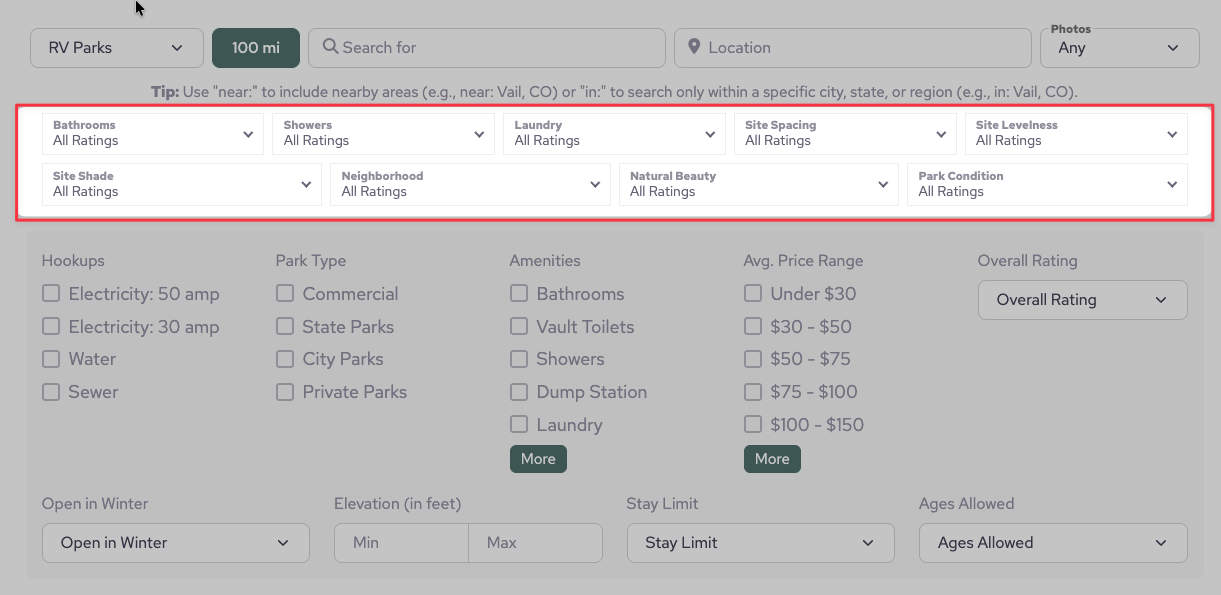
Unlike most review platforms, RV Travel Scout goes beyond a single star rating. In addition to an “overall” rating, each category has its own unique set of specialized ratings designed around the things RV travelers care about most. RV parks, for example, can be rated for their natural beauty, neighborhood quality, site spacing, site shade, and more. Fuel stations have category ratings for rig access, lot surface quality, fuel pump quality, and other relevant characteristics. Together, category ratings paint a more complete picture of what you can expect when you arrive. However, until today, there was no way to search for places based on how highly (or poorly) they ranked in these key areas.
Now, if you want a complete list of RV parks that are highly rated for their natural beauty, you can do just that! If you’d like to see all the service centers that get top marks for communication, you can do that too. If you’re feeling a tad voyeuristic, you can even leer at all the RV parks with the sketchiest neighborhoods. ☠️ Really, the sky’s the limit.
Category rating filters are available on all applicable RVTS places: RV parks, rest stops, fuel stations, dump stations, and service centers. (At this time, roads don’t have any category ratings—but if that ever changes, those ratings will also be available from the search page.)
Location Boundaries
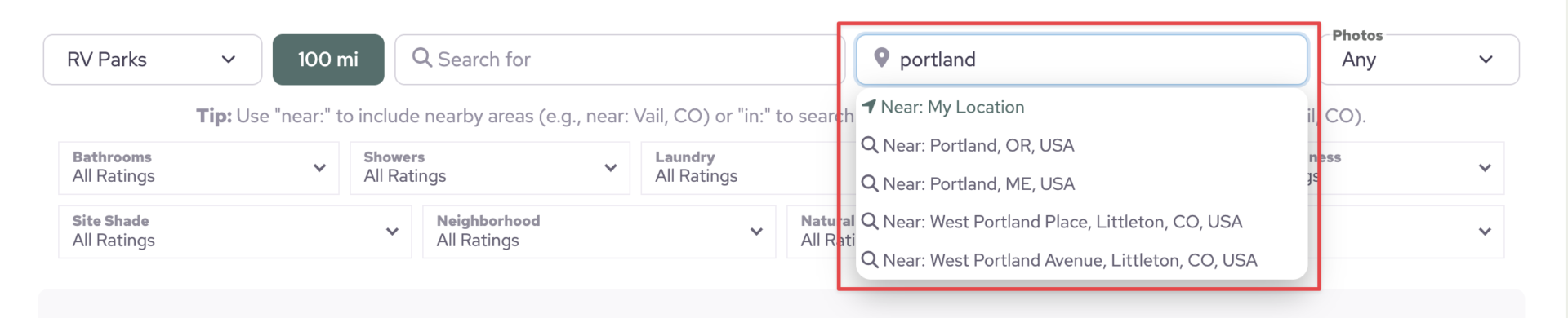
When you search for places based on a particular location, RVTS will automatically generate search suggestions for you, just like in the screenshot below. Those suggestions are always prefixed with either “near:” or “in:”. While the implications of one versus the other are pretty obvious once you think about it, it’s worth a quick explanation.
- “near: Denver, CO” — This will show you places that are inside Denver’s city limits, plus some that are just beyond its borders.
- “in: Denver, CO” — This will strictly show you places that are within Denver’s city limits, excluding anything that’s even a short distance outside the boundary.
If RVTS ever suggests “in:” when you really want “near:“, no problem. You can always just type the prefix yourself.
That’s all the updates for this time. Happy scouting! If you have any questions, feel free to send me an email or leave a comment below.